Monthly SEO Report Template: What to Include and How to Present It
Quick Takeaways
- A monthly SEO report is one of the highest-leverage client-retention tools an agency has — clients who understand the value of your work churn far less than those left in the dark.
- Every report needs an executive summary, ranking changes, organic traffic trends, keyword wins and losses, technical issues, backlink activity, and a clear next-month plan.
- Vanity metrics — raw impressions, total indexed pages, social follower counts — create noise without signal and should be left out.
- Nightwatch automates report generation, white-labels the output, and schedules delivery so you never miss a send date across dozens of clients.
- How you frame the data matters as much as the data itself: contextualise every drop, celebrate wins with specifics, and always anchor results to the client’s business goals.
- Agencies that templatise their reporting process across clients cut reporting time dramatically while delivering more consistent, professional output.
A monthly SEO report is the single most visible piece of work you deliver to a client. It is the document a stakeholder forwards to their CEO, the artefact that justifies your retainer at renewal time, and the clearest signal of whether your strategy is working. Yet most SEO reports are either too thin to be convincing or so dense with data that clients stop reading them.
This guide gives you a concrete, section-by-section monthly SEO report template, explains why each section exists, shows you what to leave out, and walks through how to build and send reports at scale using Nightwatch.
Table of Contents
- Why Monthly SEO Reports Matter
- What to Include in Every Monthly SEO Report
- What to Leave Out
- Section-by-Section Template
- How to Build the Report in Nightwatch
- How to Present Reports to Clients
- Agency Tips: Scaling Across Multiple Clients
Why Monthly SEO Reports Matter
Client Retention
Clients rarely leave because SEO is slow — they leave because they feel uninformed. A well-structured monthly SEO report creates a regular touchpoint that keeps the client engaged in the process. According to HubSpot’s Agency Pricing & Financials Report, retaining an existing client costs five times less than acquiring a new one. A report that visibly demonstrates progress — even incremental progress — is one of the cheapest retention tools available.
Accountability
Monthly reporting forces discipline on the agency side as well. When you know you have to explain what you did last month, you plan the month’s work with that explanation in mind. It turns SEO from an opaque black box into a transparent, accountable process — which is exactly what a client paying a monthly retainer needs to see.
Upsell and Expansion Opportunities
A monthly report is also a natural sales conversation. When you show a client that three of their target keywords have moved into positions 4–6 and could crack the top three with a focused content push, you have a concrete, data-backed case for expanding scope. SEO performance reporting done well surfaces those opportunities every single month.
What to Include in Every Monthly SEO Report
1. Executive Summary
The first page should be readable by a non-technical stakeholder in under two minutes. Cover:
- The single most important win of the month (a keyword hitting page one, a traffic milestone, a resolved technical issue)
- One area that needs attention
- One forward-looking action item
Everything else in the report supports this summary. If you cannot summarise the month in three bullet points, you do not yet understand what happened.
2. Ranking Changes
Ranking data is the core of an SEO report. Include:
- Keywords that moved up — with previous position, current position, and search volume
- Keywords that moved down — with an explanation of likely cause (algorithm update, competitor activity, content gap)
- New keywords entering the top 100 — early-stage wins worth calling out
- Featured snippets gained or lost
Rank tracking data from Nightwatch includes daily granularity, local search results, and multi-device breakdowns (desktop vs. mobile), all of which add depth to this section without requiring manual data collection.
3. Organic Traffic Trends
Pull organic sessions, users, and conversions from Google Search Console and Google Analytics. Show:
- Month-over-month change
- Year-over-year change (to account for seasonal patterns)
- Which pages drove the most organic traffic
- Which pages saw the largest traffic declines
Year-over-year comparison is especially important for clients in seasonal industries. A 20% drop in January may be completely normal for a client whose peak is Q4.
4. Keyword Wins and Losses
Go beyond raw position numbers. Segment your keyword movements into:
- Big wins — meaningful jumps (e.g., position 18 → 4) on high-volume terms
- Quick wins in range — keywords currently ranked 5–15 that could move to the top 3 with targeted optimisation
- Losses requiring explanation — any high-value keyword that dropped significantly
This framing turns a data table into a story with clear next steps.
5. Technical SEO Issues
Use a site audit tool to surface and track technical problems. Report on:
- New crawl errors discovered this month
- Issues resolved since the last report
- Core Web Vitals status (LCP, CLS, INP) — Google’s own benchmarks make these easy to contextualise
- Mobile usability issues
- Indexation changes (pages added to or removed from the index)
Nightwatch’s Site Auditor runs automated crawls and flags issues by severity, making it straightforward to pull a before/after snapshot for this section.
6. Backlink Activity
Backlinks remain one of Google’s most heavily weighted ranking signals. Cover:
- New referring domains acquired this month
- Lost referring domains (and whether the loss is significant)
- Domain Rating (DR) trend over the past three months
- Any toxic or spammy links identified and disavowed
Avoid reporting raw backlink counts — a single editorial link from a high-DR publication is worth more than 500 directory submissions. Focus on quality and trajectory.
7. Content Performance
If you are producing or optimising content as part of the engagement, report on:
- Pages updated this month and their ranking changes since the update
- New content published and its early indexation/ranking status
- Top-performing content by organic sessions
- Pages with high impressions but low CTR (candidates for title/meta description optimisation)
8. Next Month’s Priorities
Close every report with a concrete plan. Include:
- Three to five specific actions planned for the coming month
- The KPIs or ranking targets those actions are tied to
- Any dependencies on the client (approvals, access, content sign-off)
This section prevents the “so what are you actually doing for me?” conversation at renewal time.
What to Leave Out
Just as important as what you include is what you exclude. These metrics look busy but add no actionable signal:
- Total indexed pages — fluctuates constantly and rarely correlates with ranking outcomes
- Raw impression counts — impressions without CTR context are meaningless
- Domain Authority (DA) — a proprietary Moz metric, not a Google signal; use Domain Rating (DR) from Ahrefs or Nightwatch if you need a third-party authority metric
- Social media follower counts — outside the scope of SEO and dilutes the report’s focus
- Keyword difficulty scores in isolation — a KD score without a strategic recommendation gives the client nothing to act on
- Uncontextualised competitor data — listing a competitor’s traffic without explaining what it means for the client’s strategy wastes space
A focused 8-page report outperforms a 25-page data dump every time.
Section-by-Section Template
Use this structure as the skeleton for every monthly report. Adjust depth based on the size of the engagement.
[CLIENT NAME] — SEO Monthly Report Reporting period: [Month Year] Prepared by: [Agency Name] Prepared for: [Client Contact Name]
Page 1 — Executive Summary
| Item | Detail |
|---|---|
| Reporting period | [Month Year] |
| Top win | [e.g., “homepage now ranks #2 for ‘project management software’“] |
| Key issue | [e.g., “mobile Core Web Vitals failing on 3 key landing pages”] |
| Next month focus | [e.g., “fix CWV issues and publish 2 comparison pages”] |
Page 2 — Organic Traffic Overview
- Organic sessions this month: [X] ([+/-X%] vs last month / [+/-X%] vs same month last year)
- Organic users: [X]
- Goal completions from organic: [X]
- Top 5 organic landing pages: [table]
Page 3 — Ranking Highlights
Top movers (up):
| Keyword | Previous Position | Current Position | Search Volume |
|---|---|---|---|
| [keyword] | [n] | [n] | [n] |
Movers requiring attention (down):
| Keyword | Previous Position | Current Position | Likely Cause |
|---|---|---|---|
| [keyword] | [n] | [n] | [reason] |
Page 4 — Technical SEO
- Issues resolved this month: [X]
- New issues found: [X] (severity breakdown: critical / high / medium)
- Core Web Vitals status: [Pass / Fail — with LCP, CLS, INP values]
- Crawl errors: [X new / X resolved]
Page 5 — Backlink Profile
- New referring domains: [X]
- Lost referring domains: [X]
- Domain Rating (DR): [current] (vs [last month])
- Notable new links: [list top 3]
Page 6 — Content Activity
- Pages updated: [X] — summary of changes and early ranking impact
- New pages published: [X] — indexation status and initial positions
- CTR optimisation opportunities identified: [X]
Page 7 — Competitor Snapshot
- [Competitor A]: Notable changes in rankings or content
- [Competitor B]: Notable changes
- Key takeaway for client: [1–2 sentences on what this means strategically]
Page 8 — Next Month’s Plan
| Action | Expected Outcome | Owner | Target Date |
|---|---|---|---|
| [action] | [outcome] | [agency/client] | [date] |
How to Build the Report in Nightwatch
Manually assembling a monthly SEO report from five different tools is time-consuming and error-prone. Nightwatch consolidates the core data — rankings, site audits, keyword discovery — into a single platform and automates the delivery pipeline.
Automated, Scheduled Reports
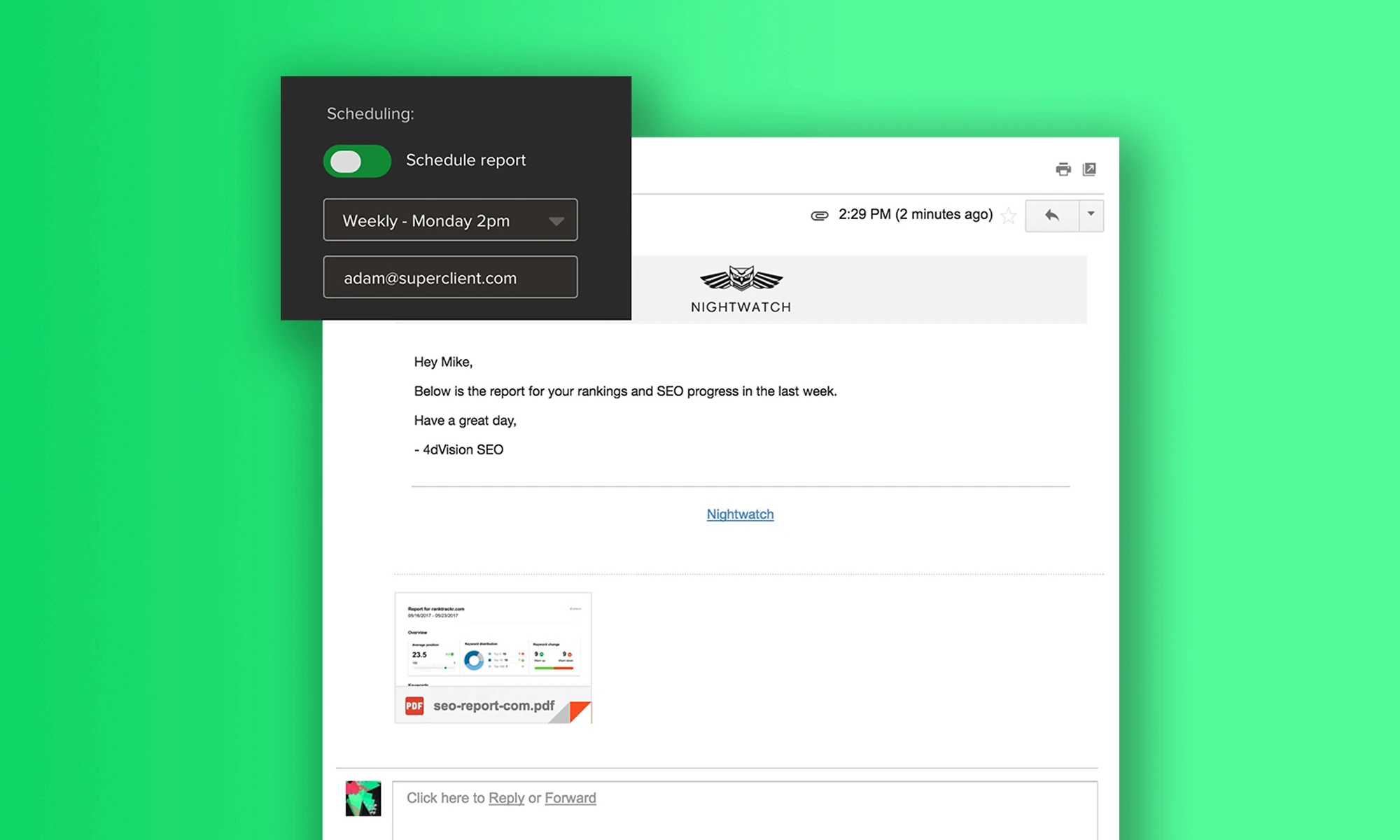
In Nightwatch, you can configure a report to generate automatically on a set schedule (weekly, monthly, or custom) and deliver it directly to client email addresses. Once the template is set up, the report goes out without manual intervention — which matters enormously if you are managing a client SEO dashboard across 20 or 30 accounts.
White-Label Customisation
Nightwatch’s white-label SEO reports feature lets you apply your agency’s branding — logo, colour scheme, custom domain — to every report. Clients receive a professional document that looks like it came from your agency, not from a third-party tool. This matters for agencies positioning themselves as a premium provider.
Report Views and Filters
Nightwatch’s Views feature allows you to segment keyword data by tag, device, location, or search engine before it reaches the report. If a client cares only about mobile rankings in Chicago, you can create a view that isolates exactly that data and pin it to their report. This level of segmentation is what separates a generic rank report from a tailored SEO performance report that speaks directly to the client’s goals.
Data You Can Pull
For the ranking section of your template, Nightwatch provides:
- Daily rank snapshots for all tracked keywords
- SERP feature data (featured snippets, People Also Ask, local packs)
- Competitor rank tracking alongside your client’s keywords
- Historical data going back to when tracking started — critical for showing long-term progress
How to Present Reports to Clients
A report is only as good as the conversation it starts. Here is how to present it effectively.
Frame Wins With Specifics
“Rankings improved this month” is forgettable. “Your primary service keyword moved from position 9 to position 4, which puts you above three established competitors and corresponds to an estimated 180% increase in click-through rate at that position” is memorable and defensible.
Use Google’s own CTR research (via Search Console) to connect ranking changes to traffic and revenue potential. That framing transforms an SEO metric into a business outcome.
Contextualise Every Drop
Never let a ranking drop appear in the report without an explanation. Possible explanations include:
- A broad Google algorithm update (cite the update name and date)
- A competitor publishing a substantially better page
- A technical issue on your client’s own site
- Seasonal search volume decline
Even “we are investigating the cause and will have a recommendation next month” is better than silence. Unexplained drops erode trust faster than the drop itself.
Set Expectations on Timelines
SEO results take time. The monthly report is where you reinforce that expectation with data. Show a 6-month ranking trend chart alongside the month-over-month data — it usually tells a far more convincing story of steady progress than any single month’s snapshot.
If you are selling SEO services, setting timeline expectations in the very first report (and repeating them every month) is the single most effective way to reduce client anxiety during the inevitable slow months.
Keep the Walk-Through Short
If you are presenting the report on a call, stick to 20–30 minutes. Walk through the executive summary, the two or three most significant ranking movements, the next month’s plan, and any decision the client needs to make. Leave the full data in the document for them to review asynchronously.
Agency Tips: Scaling Across Multiple Clients
Templatise Everything
The template above should not be rebuilt from scratch each month. Create a master template in your reporting tool, duplicate it per client at onboarding, and update only the data — not the structure. With Nightwatch, the report structure is saved at the View level and reused automatically each reporting period.
Batch Reporting Days
Rather than generating reports ad hoc throughout the month, designate one or two days per month as reporting days. Batching the work makes it faster (you stay in the mental context of reporting), reduces errors, and makes scheduling easier if you have a team member reviewing before send.
Tier Your Reports by Client Size
Not every client needs an 8-page deep-dive. Consider three tiers:
- Lite (4 pages): Executive summary, rankings snapshot, traffic overview, next month plan. For smaller retainers or lower-touch clients.
- Standard (8 pages): Full template above. For mid-market clients with active campaigns.
- Enterprise (custom): Extended with competitive intelligence, custom dashboards, and quarterly business reviews. For large accounts.
This tiering also gives you a clear upgrade path to discuss with clients — agencies scaling their SEO operations use this kind of tiered service packaging to increase average revenue per client without proportionally increasing workload.
Automate the Data, Humanise the Insight
The data collection and formatting should be fully automated. The executive summary, the explanation of ranking drops, and the next-month recommendations should be written by a human who understands the client’s business. That combination — automated data, human insight — is what a good monthly SEO report actually delivers.
Summary
A monthly SEO report is not a formality — it is one of the most important client-facing deliverables in an SEO engagement. Done well, it retains clients, surfaces upsell opportunities, and holds the agency accountable to results.
The template in this guide covers every section that belongs in a professional monthly report, explains what to exclude, and shows how Nightwatch can automate the data collection and delivery pipeline so the only time you spend on reporting is the time that actually requires human judgement.
Start with the 8-section structure above, customise it to your client’s priorities, and set up automated delivery in Nightwatch so the report goes out on the same day every month — reliably, professionally, and on brand.